
GCP is often renowned as the ‘data cloud’. After all, Google run the largest ad network in the world, they run YouTube, and you’ve probably searched the Google search engine once or twice (or many times). Google services generate vast quantities of data every second, which are subsequently stored and analysed using GCP’s data tools.
Before you start looking at how GCP fits into your data landscape, you need to know what your landscape looks like - imagine trying to get out of a dense forest without knowing which way is out. 🥴
First, you must split your data horizontally, meaning observing an atomic piece of data as it traverses through your organisation, from collection 📦 to activation 💪.
To help you remember the key services and their primary functions, we've created a handy reference. Bookmark our GCP Data Cheat Sheet for your next project.
Google’s take on data
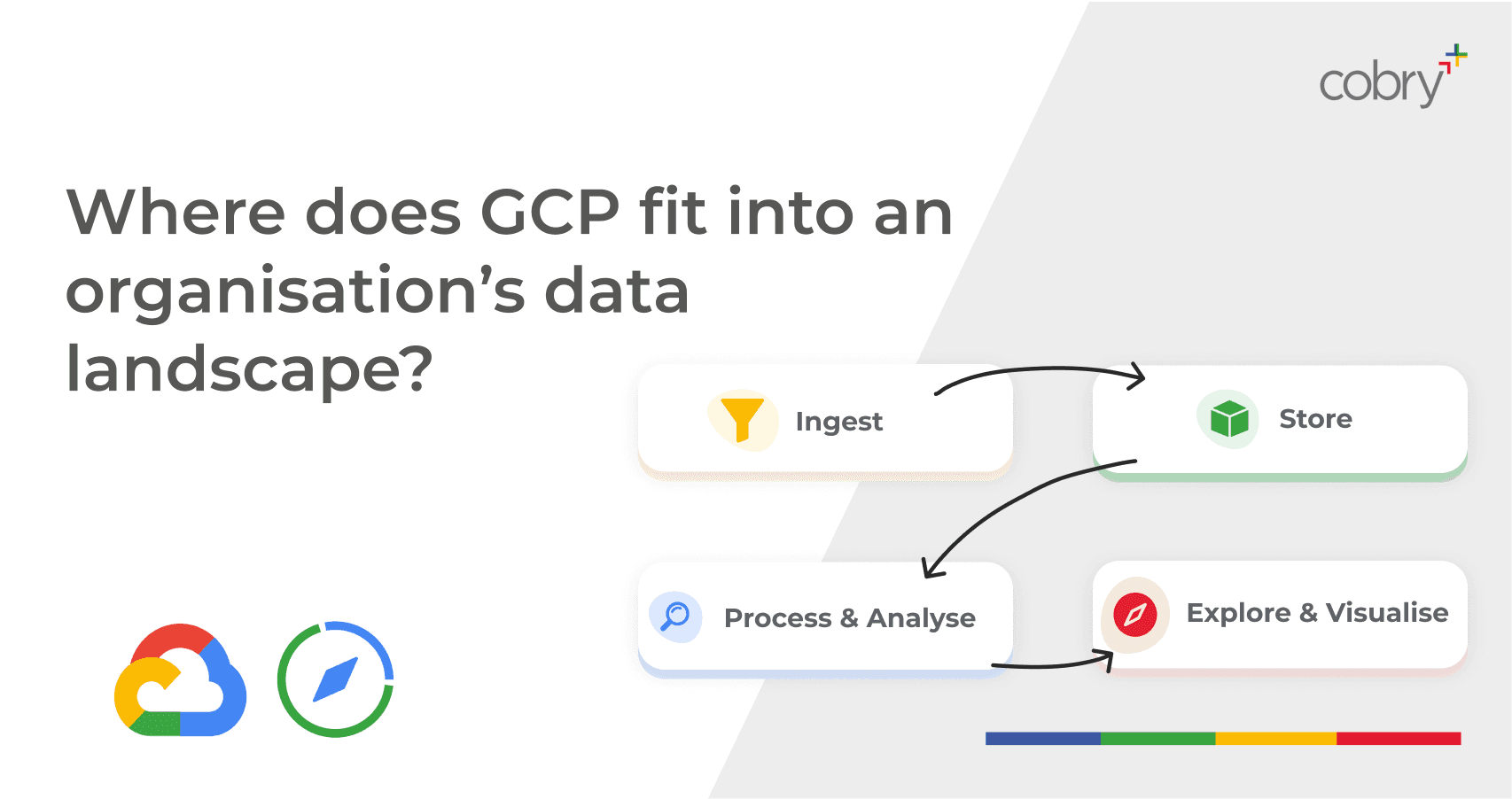
Google has their own take on where its services fit into an organisation’s data landscape. They call it the “Data Lifecycle”. They split this into four stages:
Ingest: The first stage is to pull in the raw data, such as streaming data from devices, on-premises batch data, app logs or mobile app user events and analytics.
Store: After the data has been retrieved, it needs to be stored in a durable format that can be easily accessed.
Process and analyse: In this stage, the data is transformed from its raw form into actionable information.
Explore and visualise: The final stage is to convert the results of the analysis into a format that is easy to draw insights from and share with colleagues and peers.
(and yes, we get that ‘process and analyse’, and ‘explore and visualise’ are two-parters, but bear with us - it’s for good reason!)
If you want to take a super in-depth dive into the different data designs and constructs on GCP, this article is your best bet - be warned, though, it’s a 44-minute read (according to the read-o-meter)!
If you want a condensed overview, you’re in the right place. Keep reading. 👇
Data Generation and Ingestion
The first step in the data process is data generation. Whether you’re using Uber to get to where you need to, listening to your favourite songs on Spotify, or taking notes from your meeting on Google Docs (all of which use GCP’s infrastructure, by the way), you and the applications you use generate countless data points.
Of course, an action becomes a data point when the necessary tools and processes are in place. So, the first thing we must do to make sense of data is ingest it. GCP gives us plenty of tools to do that.
APIs from a provider
If you’re using any SAAS tool, chances are they have an API (or they gate it behind a specific tier - got to love enforced data siloes 🙄).
You can pull data from APIs using the roster of Google Cloud’s compute services.
Cloud Functions for small, frequent API pulls
Cloud Run for more robust, frequent API pulls
Kubernetes or Compute Engine for longer-running API jobs.
Because you need API knowledge to do this, which - in turn - requires programming knowledge, third-party providers have appeared that essentially do this whole step for you, such as Stitch Data or funnel.io. Cobry’s development team can also help!
Streaming Data
You may have applications, processes, or real-life things constantly generating data. If you’d like this data to be quickly available on your analytics platform, you must set up a streaming pipeline. Sounds scary, but it isn’t. Google Cloud IoT is brilliant for “Internet of Things” devices generating lots of timestamped data. At the same time, Pub/Sub is great for everything else. Cloud IoT can output data into a Pub/Sub queue, which is the recommended practice.
Large data transfers
Sometimes you may just have a truckload of data sitting in a database somewhere, whether on-premises or on a different cloud provider. Google’s best practices are to use a:
Cloud VPN To transfer anything under 100GB
Transfer Appliance for anything above 100GB
If you have a dedicated interconnect (chances are, you don’t), then these rules don’t apply.
There’s a nifty table that helps us decide what service to use. Thanks, Google!
Now that you’ve successfully used one of the above tools to collect your data, the next step is to start processing it.
Processing
Processing can be as simple as running a few checks on your inbound data to doing complete data transforms. This totally depends on your data set and what you’re trying to achieve.
Wrangling data
If you have a messy dataset that needs to be wrangled, then Google Dataprep is your best bet. It’s an intuitive ‘drag-and-drop’ style interface for cleaning data. It has AI-based anomaly detection, and it easily allows you to assess the quality of your data. You can even set up streaming pipelines into Dataprep, so if you’re getting consistent data from any streaming services outlined above you can fire them right into Dataprep for quality control and continuous processing.
Aggregation and analytics
If you need to do some sort of aggregation to your data, you can do so using Dataproc. Dataproc is a managed and scalable service for running open-source data processing tools, such as Apache Spark, Hadoop, Flink, or Presto. If you’re an analyst, you’ll know what they are; if not, ask your analysts! If you or your data department are drowning in a sea of Jupyter notebooks, you should probably give Dataproc a try.
Data Integration
Sometimes, data from completely different sources may need to be blended together to create something more useful. For example, you may want to bring in a ‘one-pane-of-glass’ view for your customers. You may need to bring in sales information, service desk information and maybe their commercials, too. That are three different sources storing data on your customers. Blending them allows you to formulate complex questions such as “on average, how much do customers pay for a helpdesk resolution?”. Here’s where Cloud Data Fusion is your best bet. Data Fusion is a GCP service that is all about bringing data from different sources together.
Storing
This is probably our favourite bit because Google Cloud makes this very fun to do.
Objects
If you’re storing objects, like pictures, spreadsheets or files in general, use Cloud Storage. Easy peasy.
Databases
If you’re piping data into a database, you have a whole load of options.
For relational databases, you have:
Cloud SQL for your run-of-the-mill database use cases
Cloud Spanner for a vast, distributed database optimised for performance and consistency.
BigQuery for all analytical needs. BigQuery is very much GCP’s secret sauce for anything analytics.
There are different types of databases, though, not just relational. There’s Cloud Bigtable for fast read-write analytical workloads - usually used for adtech, recommendation engines, “Internet of Things” devices, and fraud detection.
There’s also document storage, which is great for web apps or mobile applications, which is what Google Firestore is for! We’ve outlined all of this in the diagram below 👇
Activating
This is the part where most data engineers throw their hands up and say, “Not my job!”. They’ve done all the heavy technical lifting - establishing data flows, pipelines, aggregations, schemas, tables - everything. You have the most pristine dataset in the world, sitting on the most scalable architecture in the world.
But what’s the point if you can’t activate it?
This is the bit where we put data to work, and the best way to do this is using Looker. You plonk Looker on top of your storage medium - preferably BigQuery, and start enabling your organisation to get insights from their work.
Looker becomes the ‘single source’ of your organisational data, meaning anyone within the business can probe and query the data from a governed, scalable, and - most importantly - usable data platform. In another blog post, we’ll dive into why Looker and BigQuery are such powerhouses.
Additional benefits to using GCP:
Without getting too tangential, there are several additional benefits to using GCP that can create win-win scenarios from using it for your data initiatives:
GCP tools are highly scalable. You can buy extra storage or extra computing power for busy periods, and you only pay for it as, and when you need it - in the case of data, this makes it highly useful for instances where there is an upsurge in the amount of data being generated and to be processed.
GCP is highly secure. As well as an armoury of cybersecurity features, GCP can distribute your data among multiple centres so that even if a centre were broken into or burned down (highly unlikely), no data would be lost.
GCP is a greener alternative. Google is already carbon neutral and aims to become carbon-free by 2030, making running your organisation’s digital infrastructure on Google a significant way to reduce your carbon footprint.
If GCP’s tools sound like the data doctor ordered, drop Cobry a message, and we’ll get back to you to discuss how GCP can help your organisation achieve its aims.
[hubspot portal="25477499" id="381876e5-0719-4f79-a4b2-f0b5c6c52cf9" type="form"]