

If you can’t be bothered reading:
Data is encrypted in-transit and at-rest, meaning that you’re protected from man-in-the-middle attacks over the internet.
Your Google account has identity-aware security to help you keep malicious actors at bay
Your organisational data isn’t (and never will be) used for ads
Google Workspace is compliant with ISO, SOC, PCI, GDPR, HIPPA and the EU Model Contract Clause.
Airbus, Morrisons, BBVA and Starling Bank trust Google with their data. We’re confident you can, too.
So, How Secure is Google Drive?
There are three main variables to this answer:
How Google secures your data.
How your organisational policies secure your data.
How your employees secure their Google Workspace accounts.
Let’s dive into how Google secures your data.

How does Google secure my data?
Google uses 256-bit SSL/TLS encryption for files in transit and 128-bit to protect data at rest. This means that data is scrambled while it is being transmitted and stored on Google's servers.
For people wondering - “does google have access to my data?”; the answer is yes, of course, they’re hosting it for you, but the important part of that answer is that any time a Google employee sees your data, it gets logged in a transparency log.
Transparency logs allow administrators to monitor Google activity on their domain, including login attempts, document access, and changes to settings.
In addition to encryption and transparency logs, Google Workspace complies with several security standards, including ISO, SOC, PCI, GDPR, HIPPA, and the EU Model Contract Clause. This ensures that Google Workspace meets the necessary security requirements for a variety of industries and regions.
Google also never scans your data for ads. It never did, and it never will. It’s your data, it just so happens to be stored on Google servers. Google can’t do anything with it without your explicit permission (such as asking for support).
Generally speaking, Google does everything it can to make sure your data is secure, as well as stay compliant across multiple industries. Now, we should move on to the levers you can pull to make your Google Drive more compliant.
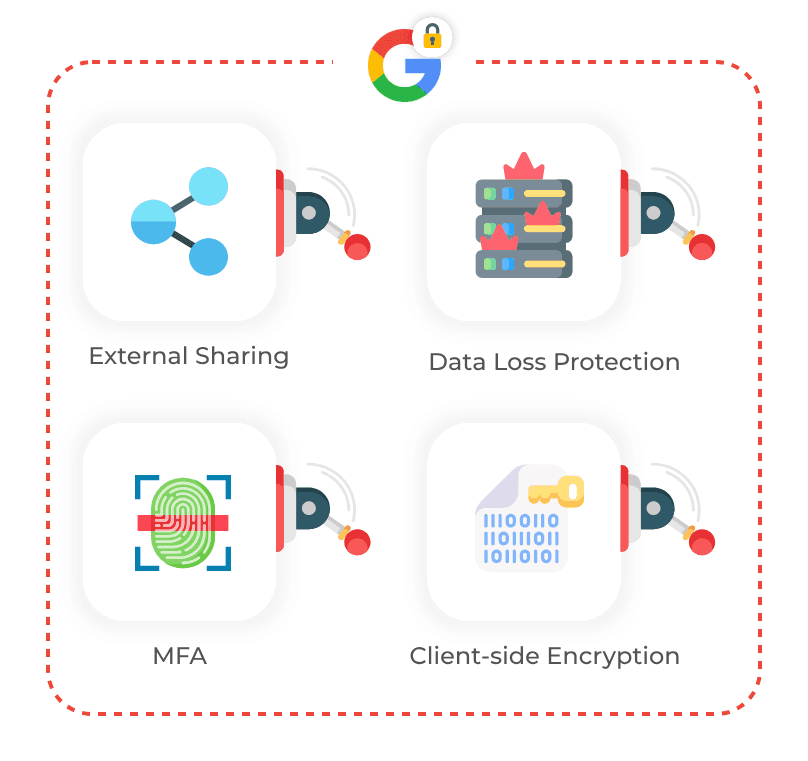
How can your organisation secure your data?
Security is not a one-size-fits-all. Some organisations require an iron fortress; some prefer to keep things more open if it means they can work more efficiently. Google gives an admin many levers to pull to make Google Drive more or less secure.
There are a lot of things an admin can do to ‘lock down’ a Google Workspace instance. Here’s a non-exhaustive list:
Enforce two-factor authentication to add an extra layer of security to user accounts
Set up data loss prevention rules to prevent sensitive information from being shared outside of the organization
Configure mobile device management policies to control access to corporate data on mobile devices
Enable client-side encryption to protect files that contain sensitive information
Use Google Vault to retain and search for data across Gmail, Drive, and other Workspace services for compliance and legal purposes.
Enabling mail protection settings in the admin console.
Limit a user’s ability to exfiltrate data outside of the organisation.
Using third-party tools such as a backup and a password manager for their organisation.
Deploying ransomware-proof Chrome devices.
Want an exhaustive list? We offer a security review that goes through all of these settings and creates a tailored report for you to action. We’ll work with you to set your instance up for success 💪
How can your employees secure their data?
Employees can secure their data on Google Drive by:
Choosing strong passwords and enabling two-factor authentication (admins can enforce this!)
Using a password manager
Being cautious when opening links or files from unknown sources, even if they are shared through Google Drive
Not sharing files with editor access and not transferring ownership. Don't give them edit access if someone just needs to mark a document up!
Are there any ‘gotchas’?
Well, it depends on what you consider a ‘gotcha’. It’s important to know that if someone has access to a user account, they have control over all their drive files. Your number one priority as an organisation isn’t worrying about whether Google is going to lose or leak your files (you’re protected here) or potentially run ads against your employees (they won’t).
Your number one priority should be whether your policies and security management are in place to minimise the risk of a file being shared where it shouldn’t have been or a user account being accessed by someone that shouldn’t be able to. Cobry can help you on both fronts:
Need to go over your admin settings? Security Review!
Need to back up your files in case of accidental loss? Backup service!
Need to train your employees around security management? Training!
Need to stop weak passwords & password post-its? Password manager!
Need to run an offboarding process? Offboarding support!
A well-configured Workspace is a secure Workspace. It not only prevents data breaches but also avoids internal productivity blockers. For example, knowing how to quickly troubleshoot a Drive folder sharing error can be just as important as your initial setup.
If any of those things sound good to you, drop your email below, and we’ll get it in place 💪